
Emergency phone water damage repair in Norwich
What to do in the first ten minutes, which common mistakes to avoid, how professional liquid-damage treatment works and what repairs may cost.
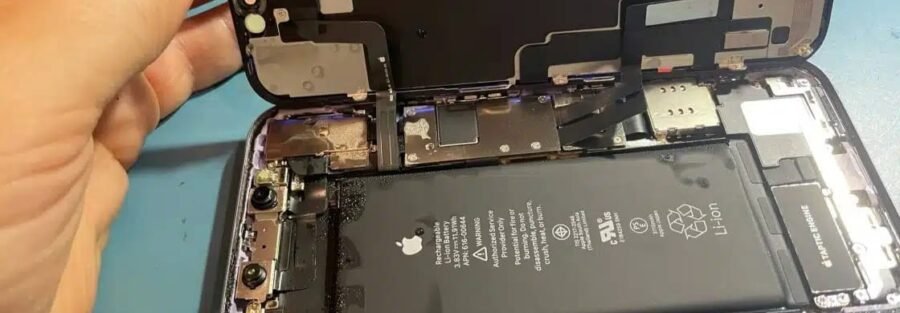
A drink spills at the pub, bath water splashes too high, or a phone disappears into the sink. Water damage can happen in seconds. Modern iPhones, Samsung Galaxy phones and Google Pixels may be water-resistant when new, but they are not waterproof. Seals age, impacts create gaps and previous repairs can change water resistance.
The damage you cannot see is often the most serious. Moisture and dissolved minerals can remain around connectors and logic-board components, allowing corrosion to continue after the device appears dry. Acting quickly—and avoiding power—gives a repair technician the best chance of saving the device and its data.
The first ten minutes matter most
If the incident has just happened, follow these steps before reading the rest of the guide.
- Remove it from the liquid. Every extra moment can let moisture travel deeper into the device.
- Power it off. Do not keep testing the screen, camera or speakers.
- Disconnect every power source. Unplug charging cables and remove a laptop charger immediately.
- Remove the case, SIM tray and memory card. Keep the SIM and removable storage somewhere safe.
- Dry only the exterior. Use a soft cloth, keep the ports facing down and arrange professional assessment as soon as practical.
What to do—and what never to do
✕ Avoid these mistakes
- No rice. It cannot remove contamination from inside the phone and dust can enter ports.
- No charging. Applying power while moisture remains can cause additional electrical damage.
- No hairdryer or radiator. Direct heat can damage batteries, screens and adhesives.
- No violent shaking. It may move liquid into previously dry areas.
- No repeated button pressing. Leave the device switched off.
✓ Take these actions
- Switch the device off and keep it off.
- Remove cases, cables and removable cards.
- Blot the outside with a soft, dry cloth.
- Keep openings facing down without inserting objects.
- Arrange assessment promptly, especially after salt water or sugary drinks.
Why a working phone may still be damaged
A wet device can switch back on and appear normal, then develop flickering, poor battery life, distorted audio, charging faults or complete power failure days later. Water can leave conductive minerals and residues around tiny circuit-board components. Sugary, acidic or salty liquids can be particularly damaging.
Drying the outside does not remove residue beneath shields, connectors or chips. That is why an inspection can be worthwhile even when a device appears to have recovered. The appropriate treatment depends on the liquid, exposure time, device design and symptoms.
How iTech Norwich assesses liquid damage
When you bring a wet device to our shop, the team follows a structured diagnostic process and explains the findings before chargeable work begins.
Initial assessment
We record what happened, the liquid involved, how long ago it occurred and whether power was applied.
Safe disassembly
Where appropriate, the device is opened and the battery is isolated before internal inspection.
Cleaning and diagnosis
Contamination and corrosion are assessed and suitable professional cleaning is carried out where viable.
Testing and quote
Affected components are tested and any further repair is explained with a fixed quote before proceeding.
Complex logic-board work and data-recovery cases can take longer than straightforward cleaning. We will explain the likely timeframe after diagnosis.
Typical water damage repair costs in Norwich
The final cost depends on the device and which components have been affected. The following figures reflect the broad starting points stated in this guide and are not a quotation.
| Likely work | Indicative starting point | What may affect the price |
|---|---|---|
| Diagnostic and professional clean | From around £45 | Device construction, contamination and disassembly time |
| Clean plus battery replacement | From around £75 | Battery availability and device model |
| Clean plus charging-port replacement | From around £85 | Whether the port is modular or board-soldered |
| Clean plus screen replacement | Model dependent | Screen technology, size and part choice |
| Logic-board or component-level repair | Quoted after diagnosis | Extent of corrosion, parts and repair time |
Prices are indicative and can change with parts and device condition. You receive a fixed quote before chargeable repair work begins. See our screen repair price guide for screen-specific information.
When repair may not be economical
Severe corrosion, extended submersion or contamination from salt water and sugary drinks can make repair impractical. If the predicted cost approaches the value of the device, we will explain that honestly.
Liquid-damaged devices we assess
Easy to reach in Norwich city centre
Bring the powered-off device to iTech Norwich, 2 Haymarket, Norwich NR2 1QD. No appointment is needed, though calling or messaging first can help us prepare for your model.
Water damage repair questions
How quickly should I bring in a wet phone?
As soon as practical. Keep it switched off and do not charge it. Faster assessment can reduce the time moisture and contamination remain inside, but recovery always depends on the actual damage.
Does putting a wet phone in rice work?
Rice cannot remove mineral residue or corrosion from internal components and particles can enter openings. Power the device off, dry the exterior gently and arrange professional assessment instead.
Why was my water-resistant phone damaged?
Water-resistance ratings apply under controlled test conditions. Seals age and can be affected by drops, wear, previous opening, heat and exposure to salt, soap or sugary liquids.
Can you recover data from a phone that will not turn on?
Data recovery may be possible, but it depends on the storage, encryption and board damage. Tell the team that data is your priority before any work begins.
How long does liquid damage repair take?
Some cleaning and component replacements may be completed the same day or within 24 hours. Complex board work or data recovery can take longer. A timeframe is provided after diagnosis.
Does liquid damage repair include a warranty?
Coverage depends on the work and parts supplied. Liquid exposure and continuing corrosion can create unrelated faults that cannot be guaranteed. The team will explain the specific warranty, limitations and exclusions before you approve the repair.
Switch it off and contact iTech Norwich
Walk into our city-centre shop or tell us the model, liquid involved and when the incident happened.
iTech Norwich · 2 Haymarket, Norwich NR2 1QD · Open 7 days